


Generate stylized videos and transform existing footage with Alibaba's Wan models, now available through AI Gateway. Try them out now via AI SDK 6 or by selecting the models in the AI Gateway playground.
Wan produces artistic videos with smooth motion and can use existing content to keep videos consistent:
Character Reference (R2V): Extract character appearance and voice from reference videos/images to generate new scenes
Flash Variants: Faster generation times for quick iterations
Flexible Resolutions: Support for 480p, 720p, and 1080p output
Copy link to headingTwo ways to get started
Video generation is in beta and currently available for Pro and Enterprise plans and paid AI Gateway users.
AI SDK 6: Generate videos programmatically AI SDK 6's
generateVideo.
import { experimental_generateVideo as generateVideo } from 'ai';const { videos } = await generateVideo({ model: 'alibaba/wan-v2.6-t2v', prompt: 'Watercolor painting of a koi pond coming to life.',});Gateway Playground: Experiment with video models with no code in the configurable AI Gateway playground that's embedded in each model page. Compare providers, tweak prompts, and download results without writing code. To access, click any video gen model in the model list.
Copy link to headingAvailable Models
Copy link to headingSimple: Text-to-Video with Audio
Generate a stylized video from a text description.
You can use detailed prompts and specify styles with the Wan models to achieve the desired output generation. The example here uses alibaba/wan-v2.6-t2v:
import { experimental_generateVideo as generateVideo } from 'ai';const { videos } = await generateVideo({ model: 'alibaba/wan-v2.6-t2v', prompt: `Animated rainy Tokyo street at night, anime style, neon signs reflecting on wet pavement, people with umbrellas walking past, red and blue lights glowing through the rain.`, resolution: '1280x720', duration: 5,});Copy link to headingAdvanced: Reference-to-Video
Generate new scenes using characters extracted from reference images or videos.
In this example, 2 reference images of dogs are used to generate the final video.
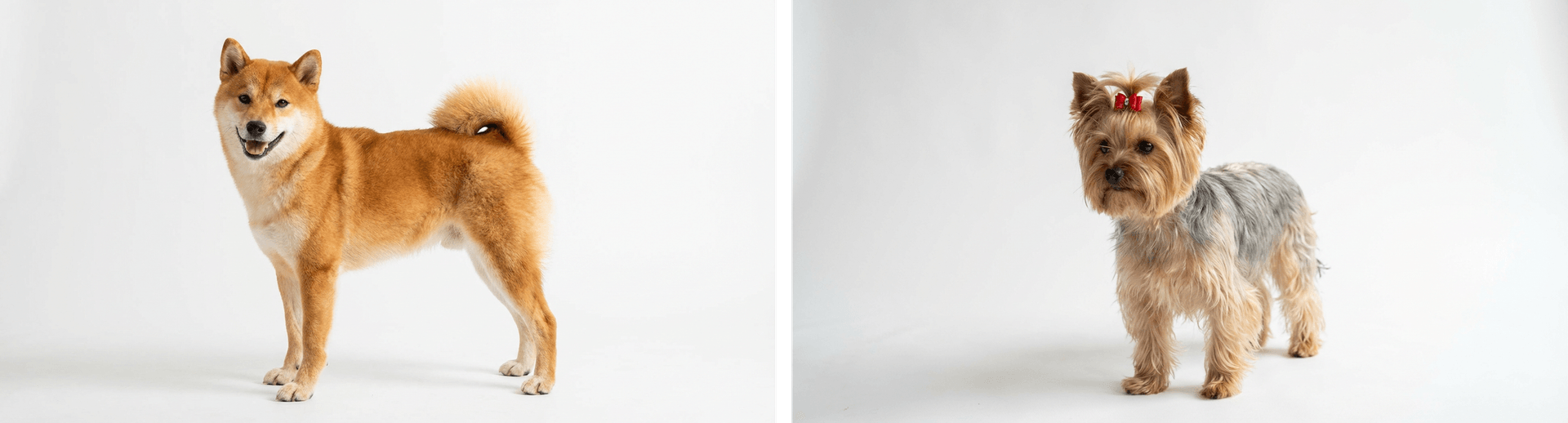
Using alibaba/wan-v2.6-r2v-flash here, you can instruct the model to utilize the people/characters within the prompt. Wan suggests using character1, character2, etc. in the prompt for multi-reference to video to get the best results.
import { experimental_generateVideo as generateVideo } from 'ai';const { videos } = await generateVideo({ model: 'alibaba/wan-v2.6-r2v-flash', prompt: `character1 and character2 are playing together on the beach in San Francisco with the Golden Gate Bridge in the background, sunny day, waves crashing`, resolution: '1280x720', duration: 5, providerOptions: { alibaba: { referenceUrls: [shibaImage, yorkieImage], }, },});Copy link to headingLearn More
For more examples and detailed configuration options for Wan models, check out the Video Generation Documentation. You can also find simple getting started scripts with the Video Generation Quick Start.