


When we recently shipped filesystem snapshots in Vercel Sandbox to let teams capture and restore a sandbox's entire filesystem state, our initial engineering focus was entirely on reliability, making sure the system would never fail to snapshot or lose data.
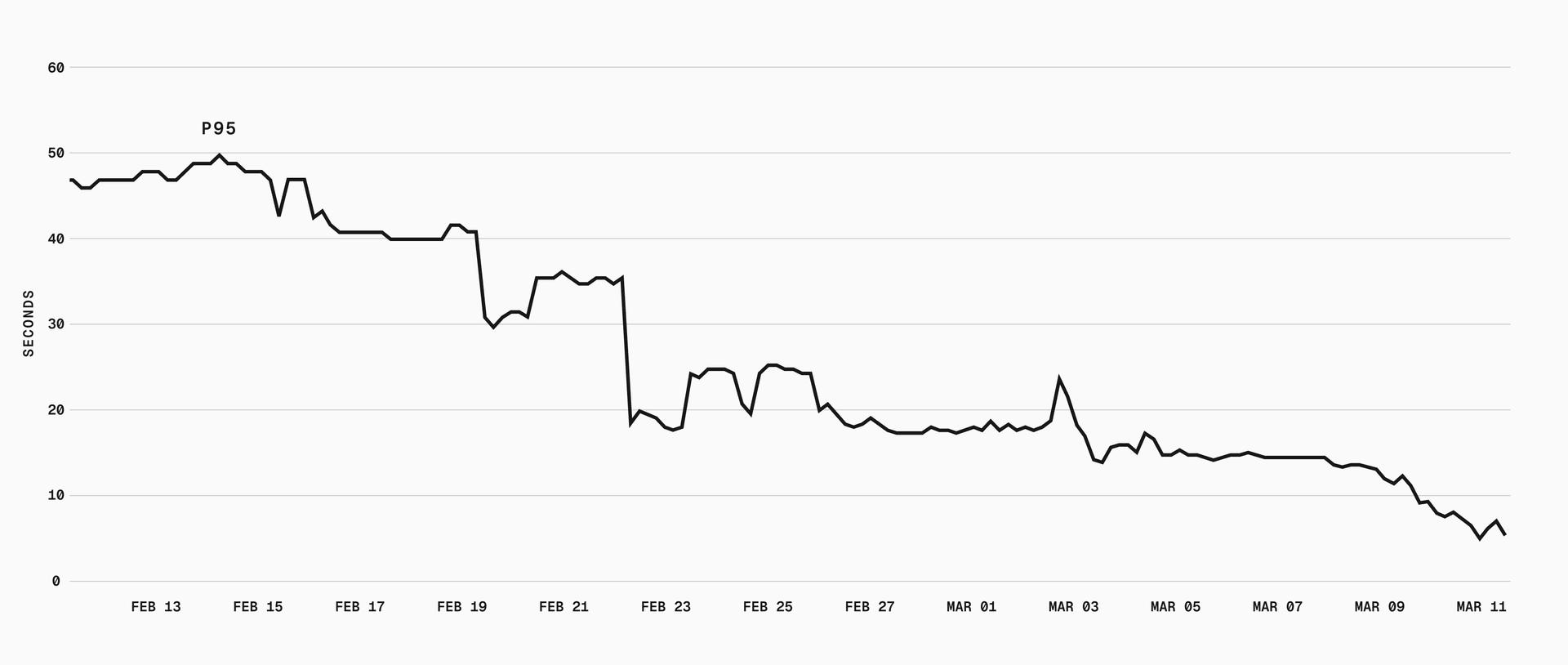
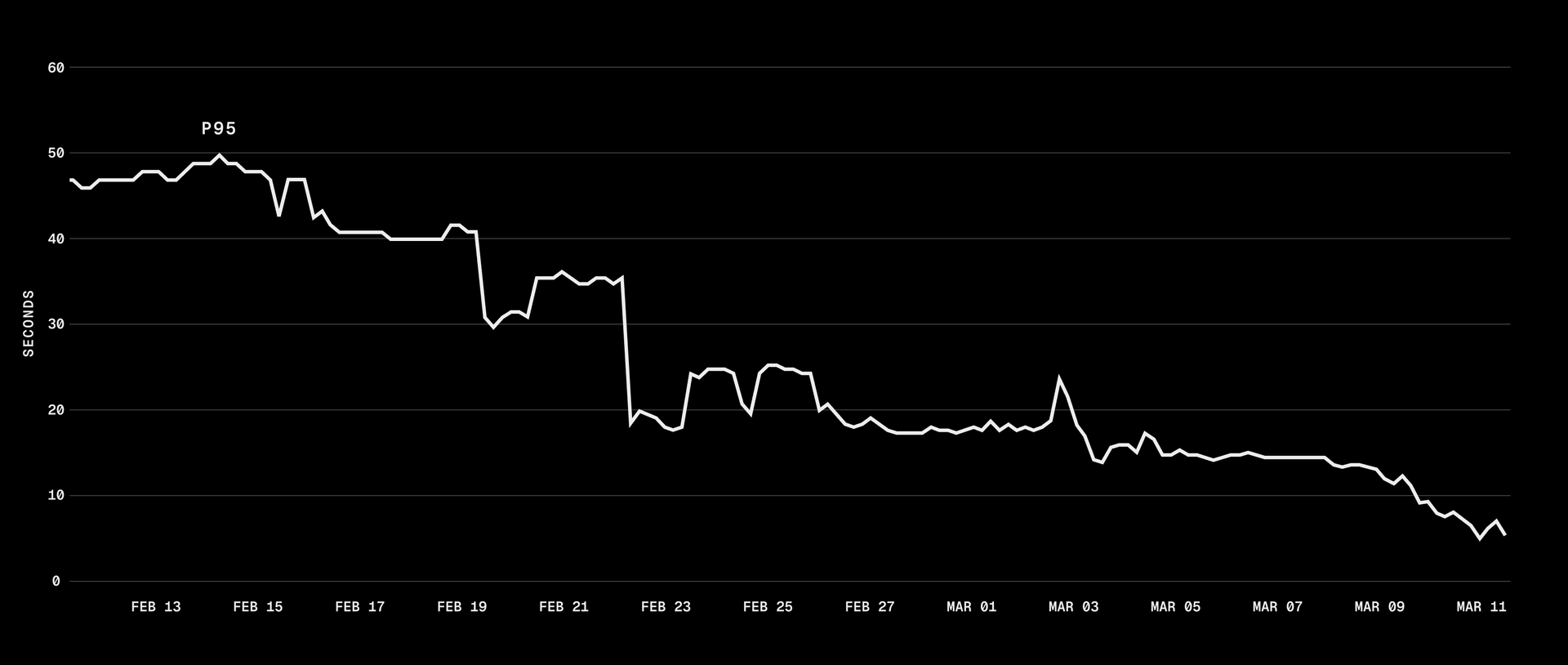
Once that foundation was stable, our attention turned to performance. p75 snapshot restores were taking over 40 seconds, and through parallelization and local caching, we brought that under one second.
Copy link to headingWhat a snapshot looks like on disk
Vercel Sandbox runs on the same infrastructure as our internal builds product, Hive. Each sandbox is an isolated container inside a Firecracker microVM.
A snapshot is a compressed copy of the sandbox's disk. We're working with two different files:
The raw disk image (
.img), which can be several GBsA compressed version in our custom
VHSformat (Vercel Hive Snapshot), which is what gets uploaded to and downloaded from S3
When you call sandbox.snapshot(), we compress the .img into a .vhs and upload it to S3. When you call Sandbox.create() with a snapshot, we download the .vhs and decompress it back. Without compression, every snapshot operation transfers hundreds of MBs to low GBs over the network, adding seconds to tens of seconds to every restore.
Copy link to headingParallelize you shall
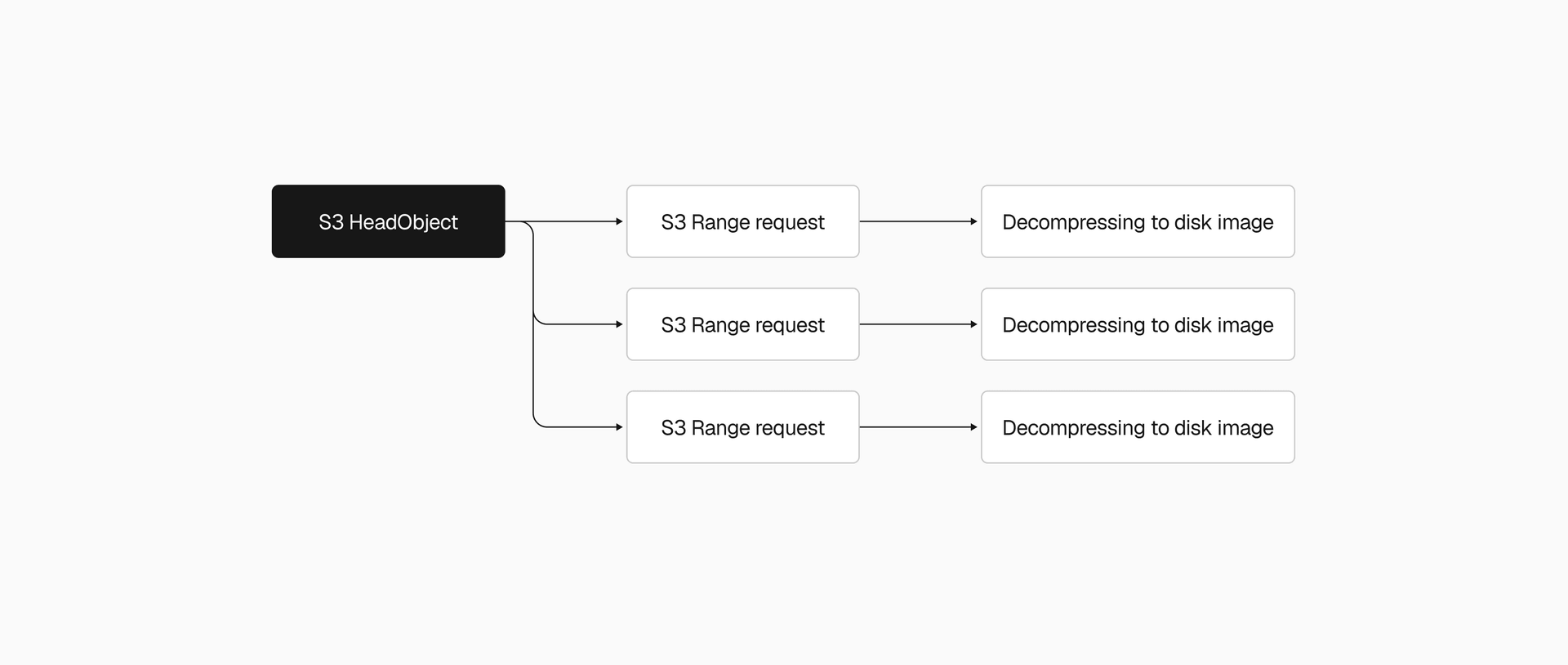
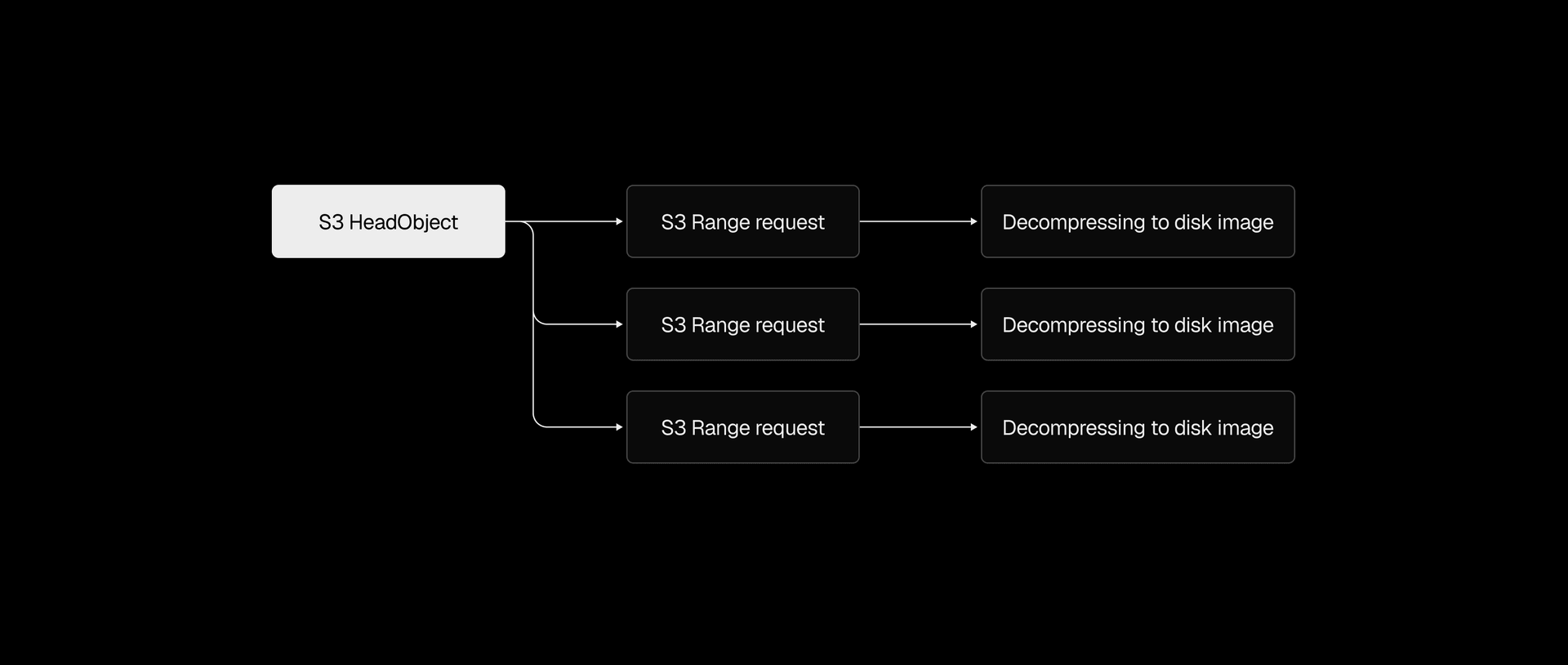
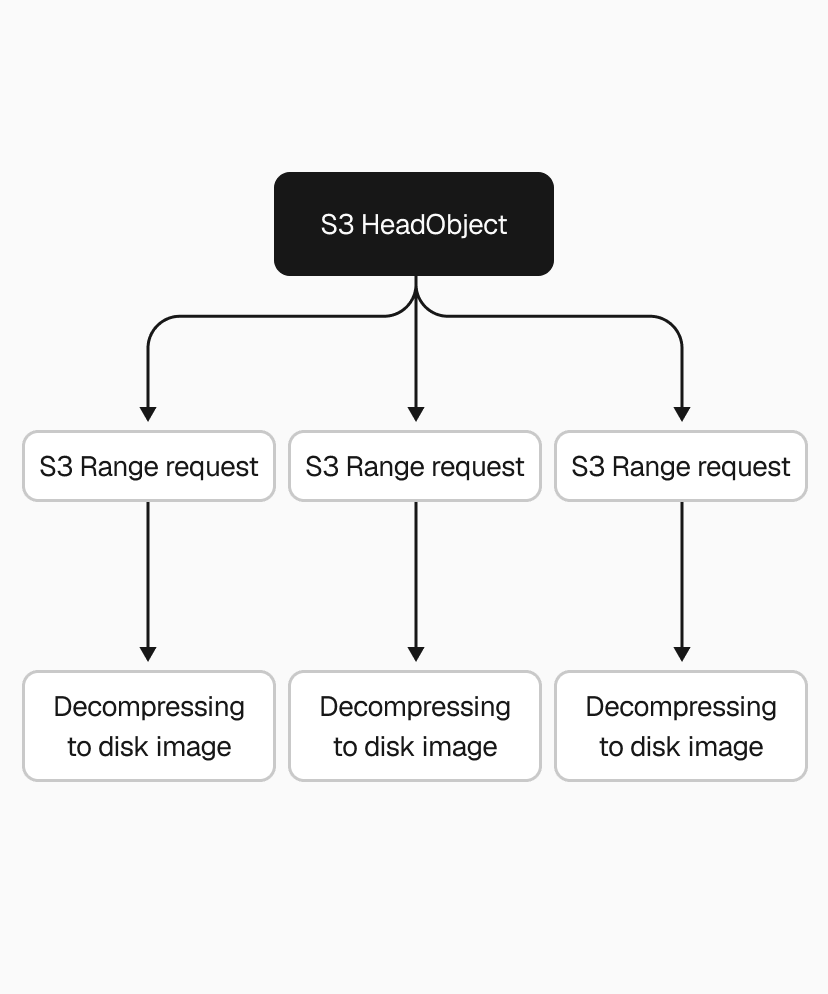
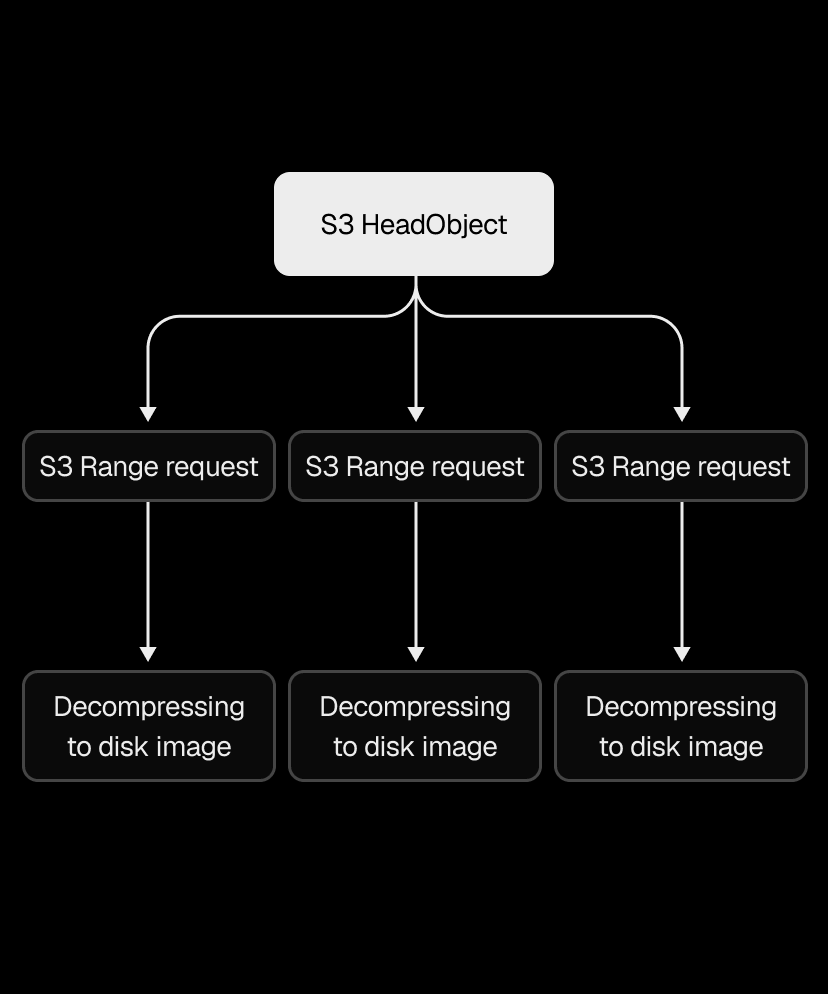
With reliability in place, we turned to the restore path, which was painfully sequential. We'd download the entire .vhs file from S3 in a single request, wait for it to finish, then decompress it in a single thread.


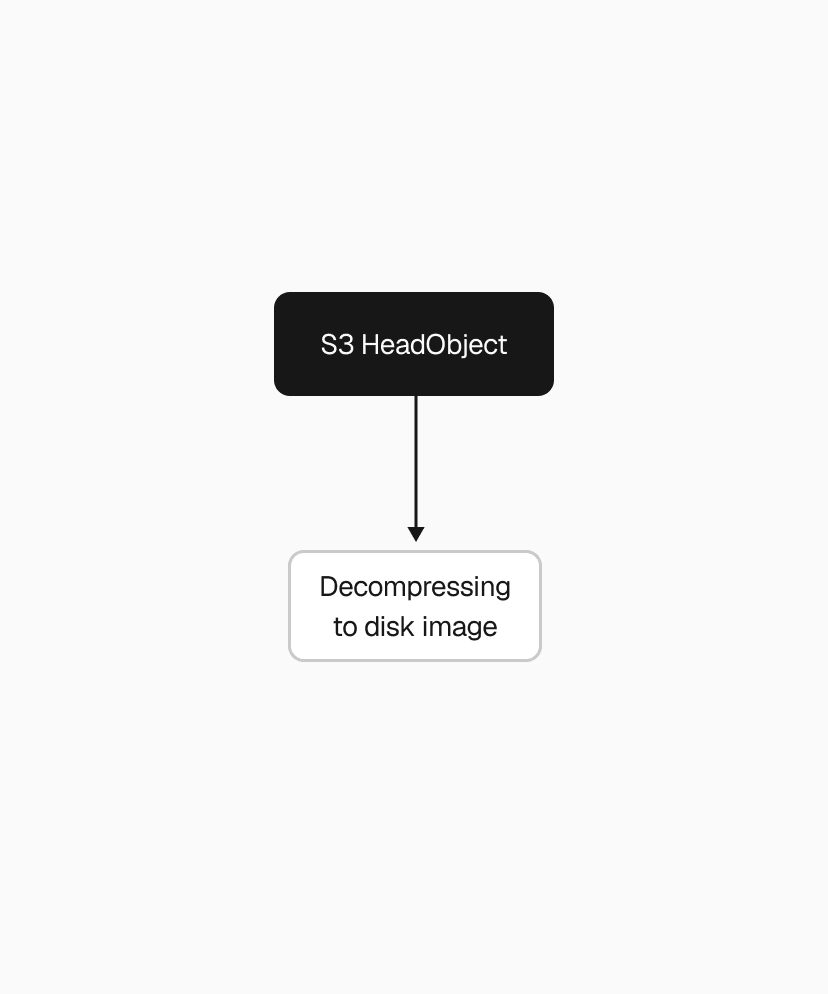
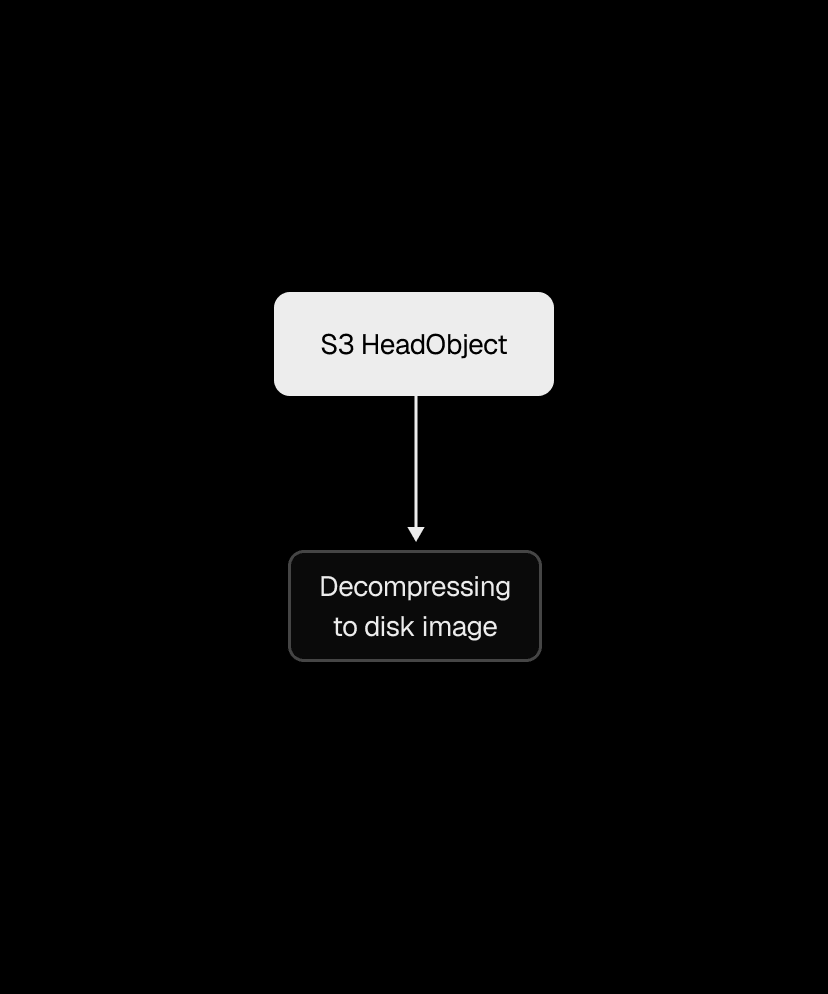
Snapshots range from 200MB to a few GBs, so that single S3 download alone could take several seconds to tens of seconds. We used the Range HTTP header to download chunks in parallel instead, with the AWS Go SDK's transfermanager API handling the orchestration. After benchmarking different concurrency levels and chunk sizes, we ended up with 2-5x faster downloads.
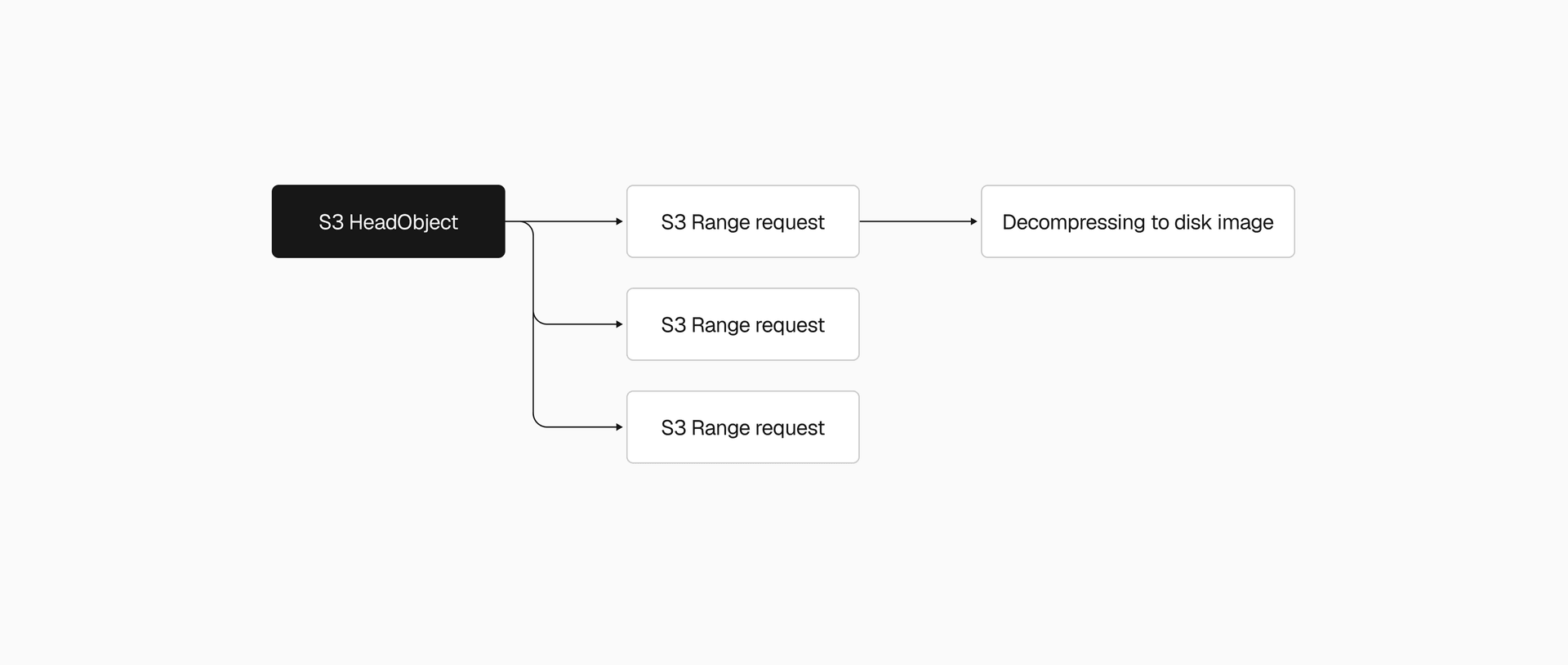
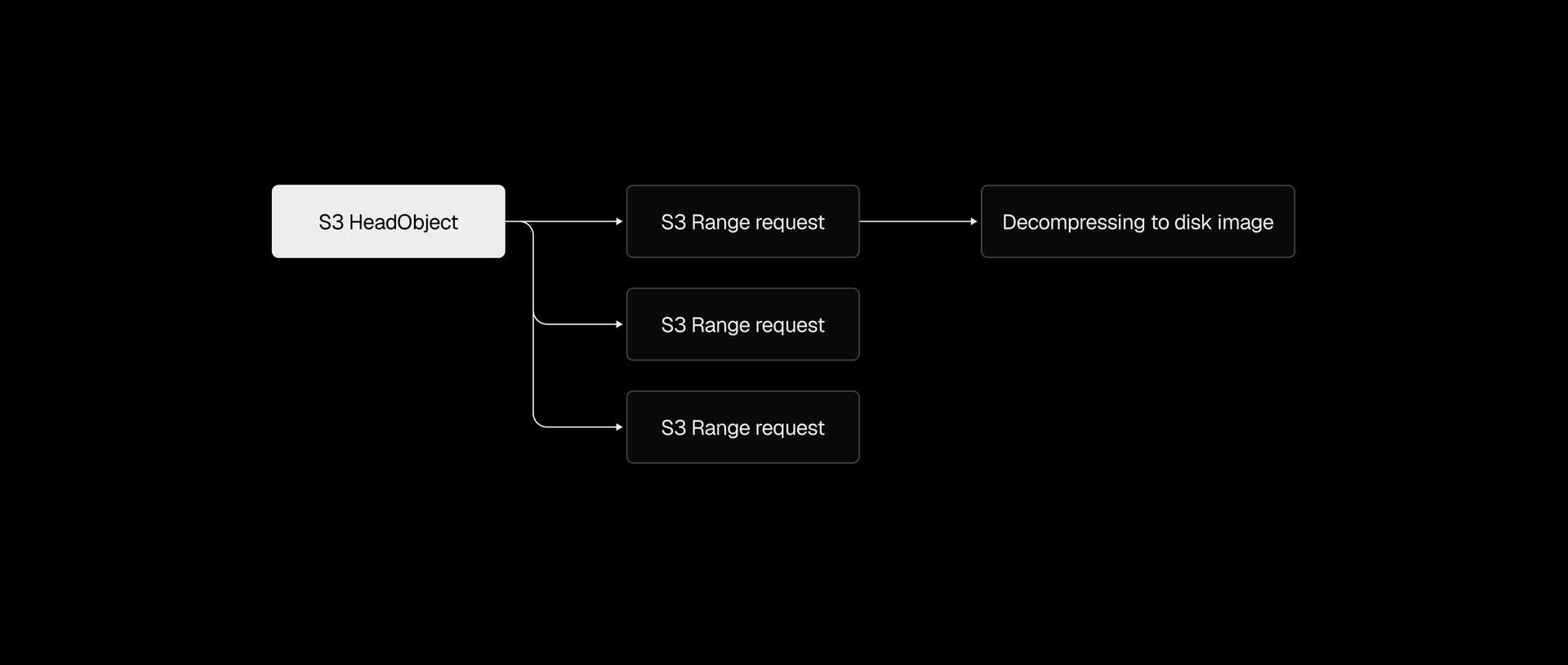
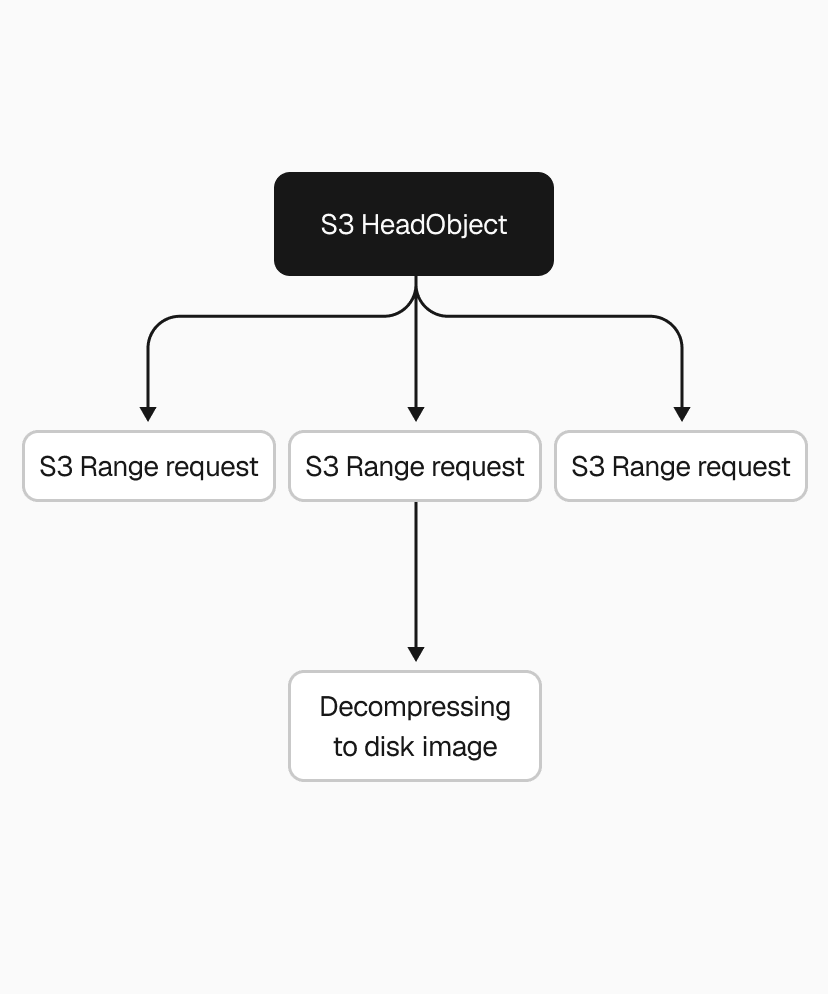
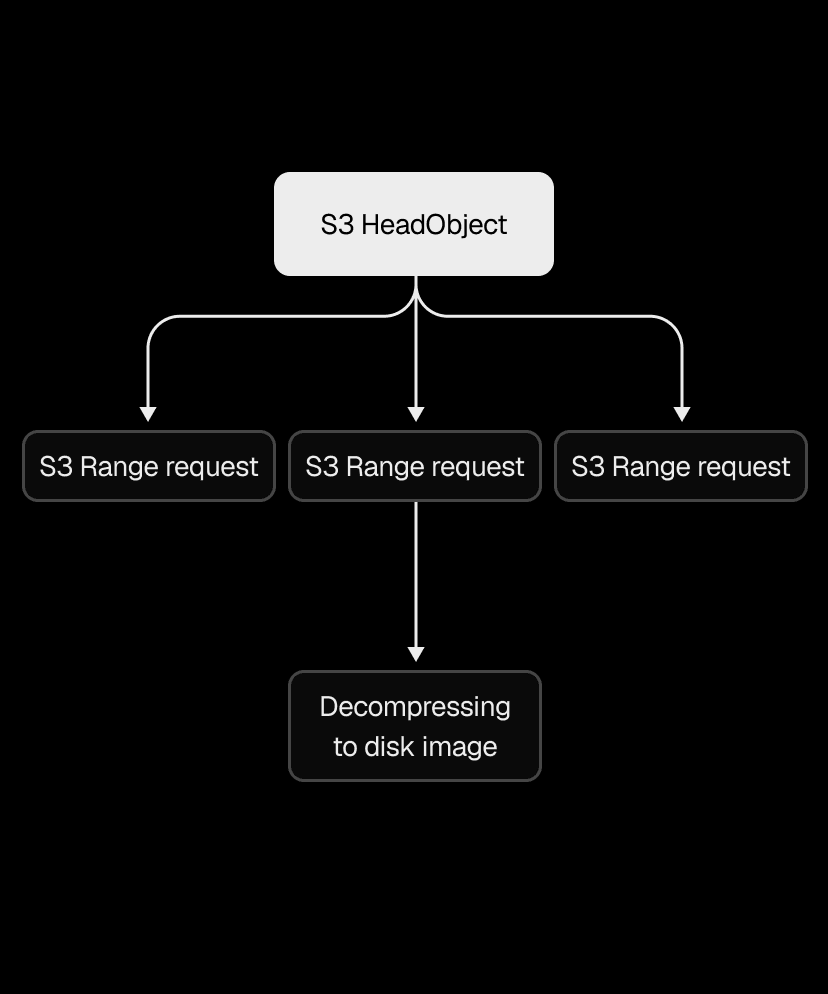
We applied the same thinking to decompression. Our .vhs format stores a header and a frame for each allocated region of the disk image, so instead of decoding and decompressing frames one by one, we switched to one decoder feeding N decompression goroutines. That made the .vhs to .img restore 2-4x faster, depending on snapshot size.
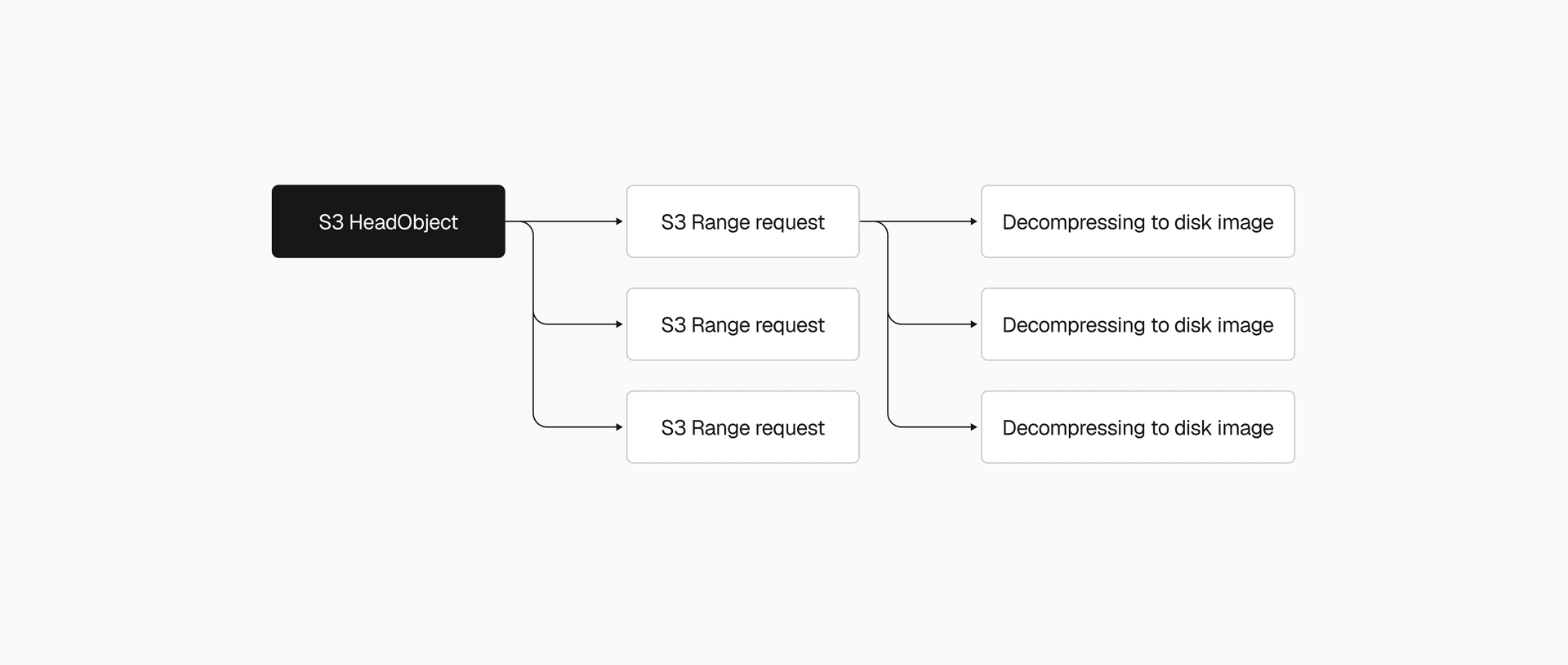
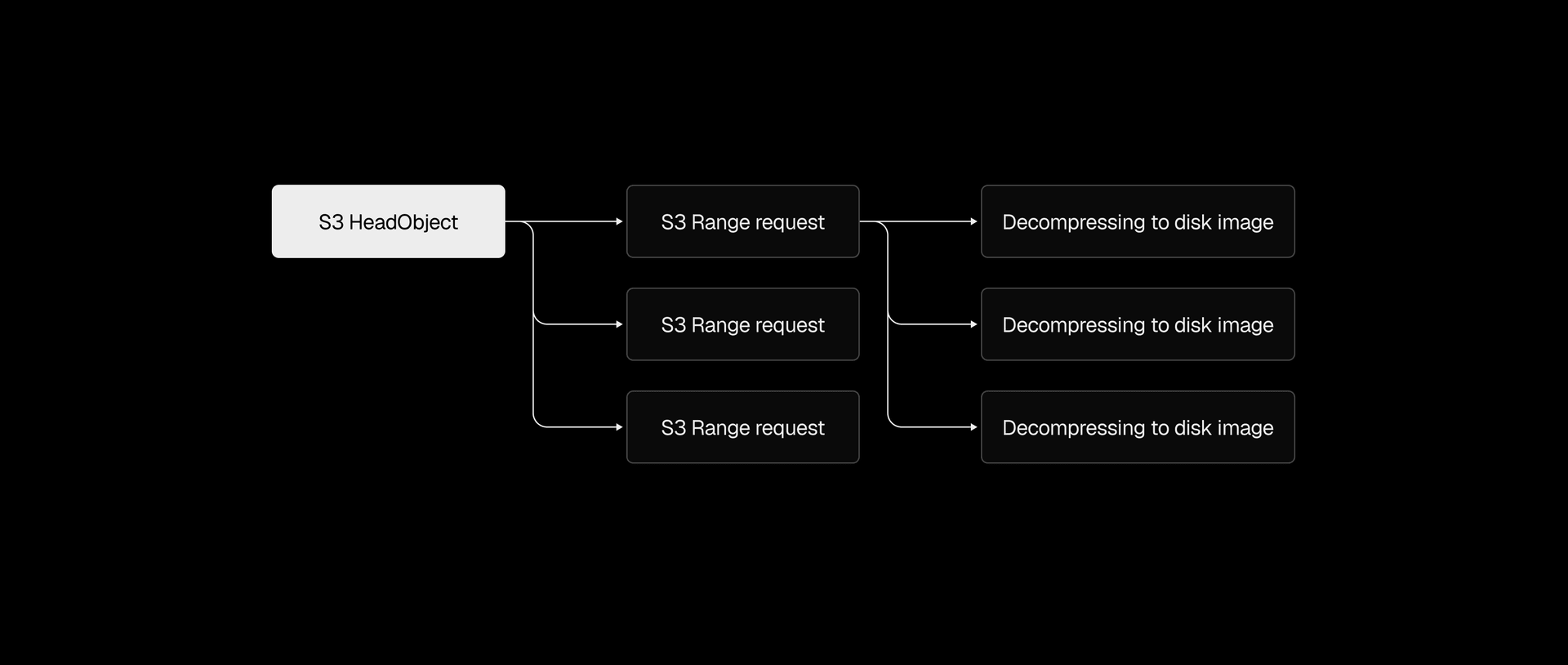
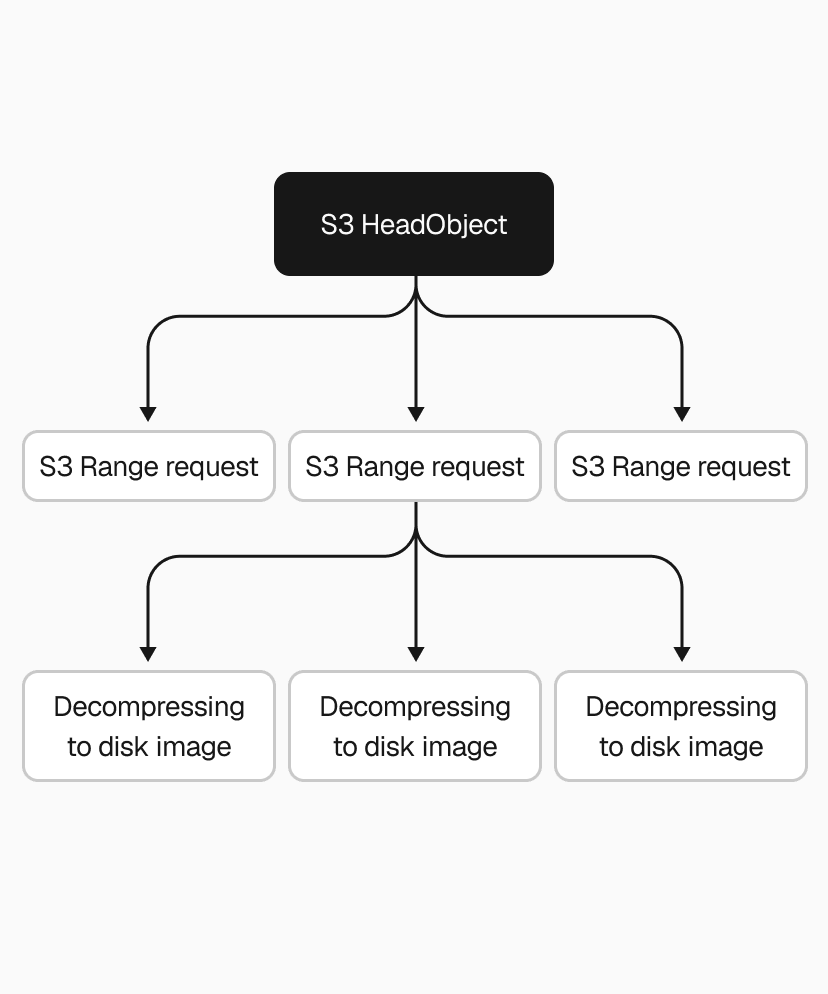
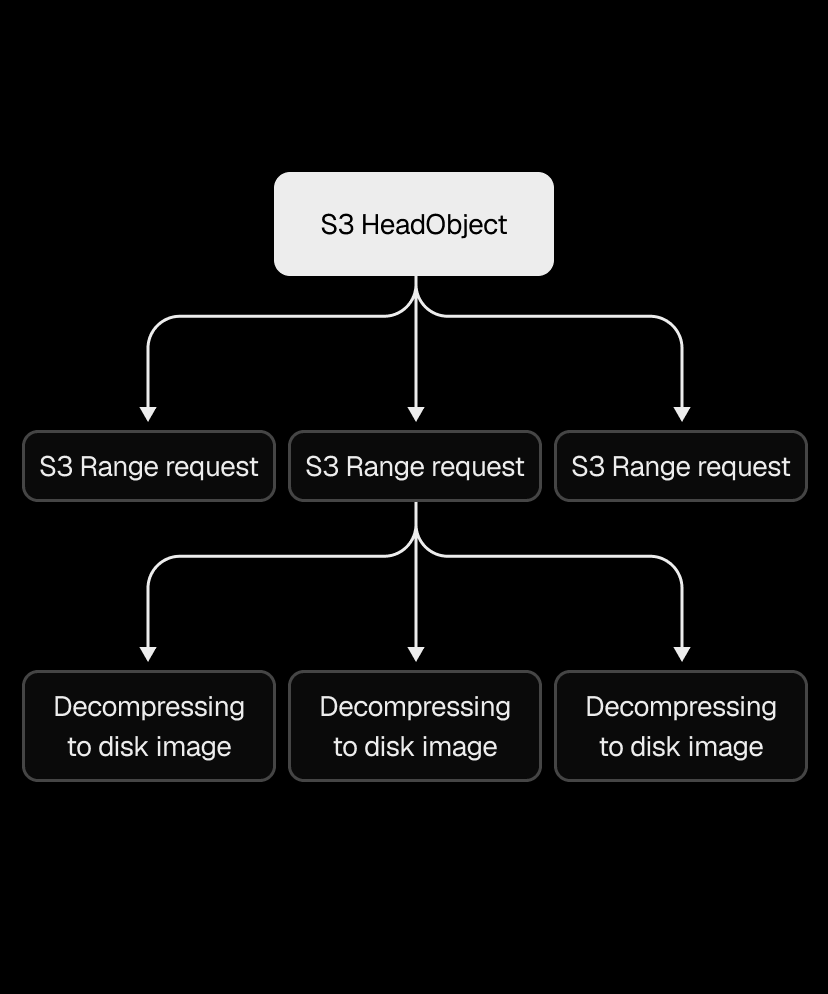
Even with both downloading and decompressing parallelized, the pipeline still wrote downloaded data to disk before decompression could begin. Piping S3 range request streams directly into decompression eliminated that intermediary step, cutting end-to-end restore time by another 2x.
Copy link to headingWe… didn't cache?
As you might have noticed, we so far only talked about improving the slow path, when we need to retrieve a snapshot from S3 on a cache miss. Well, we actually didn't have a fast path, so it was all cache misses. Yeah, we really didn't focus on performance at first.
Our sandboxes run on metal instances with NVMe disks, giving us several terabytes of fast local storage that was mostly sitting unused. We put it to work with a local disk cache using LRU (least recently used) eviction, sized by total disk space rather than number of entries. We cache the decompressed .img directly rather than the compressed .vhs, so a cache hit skips both the download and the decompression. Once the cache fills up, the least recently used snapshots get evicted to make room.
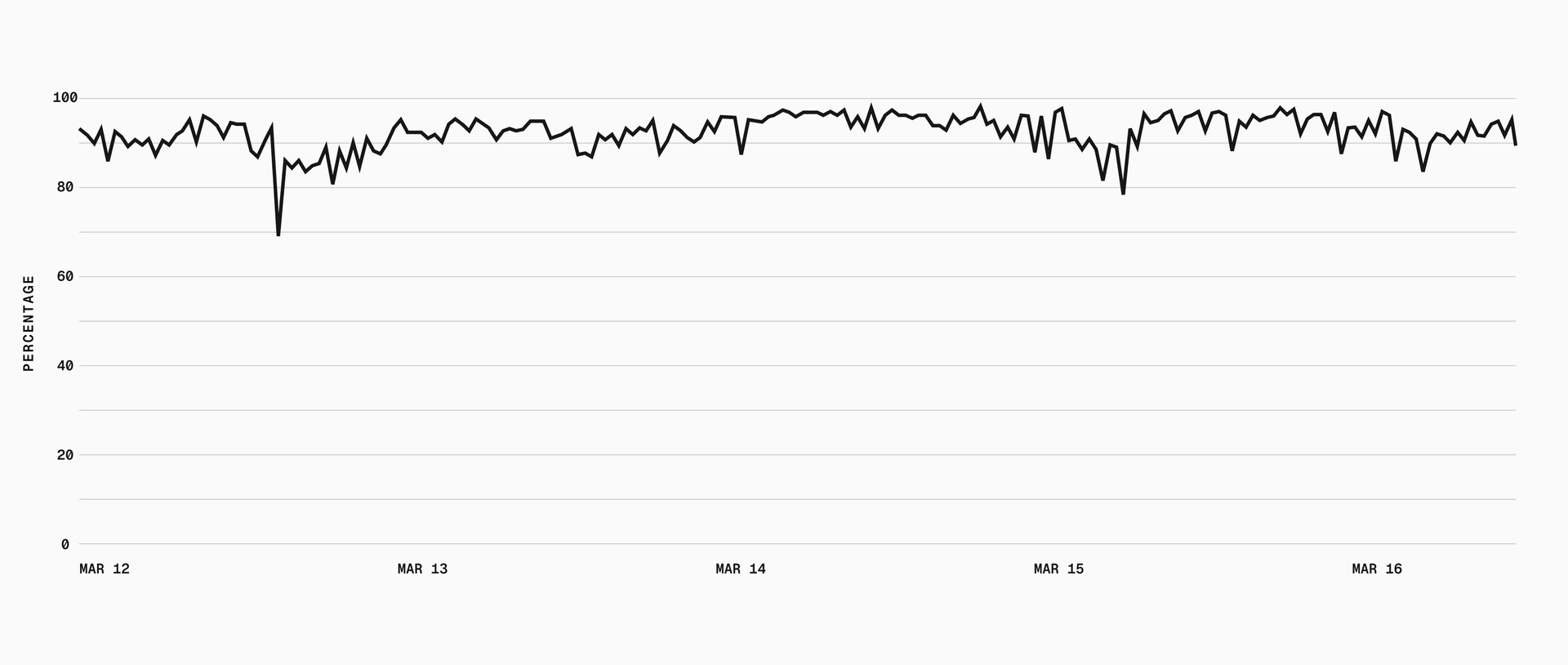
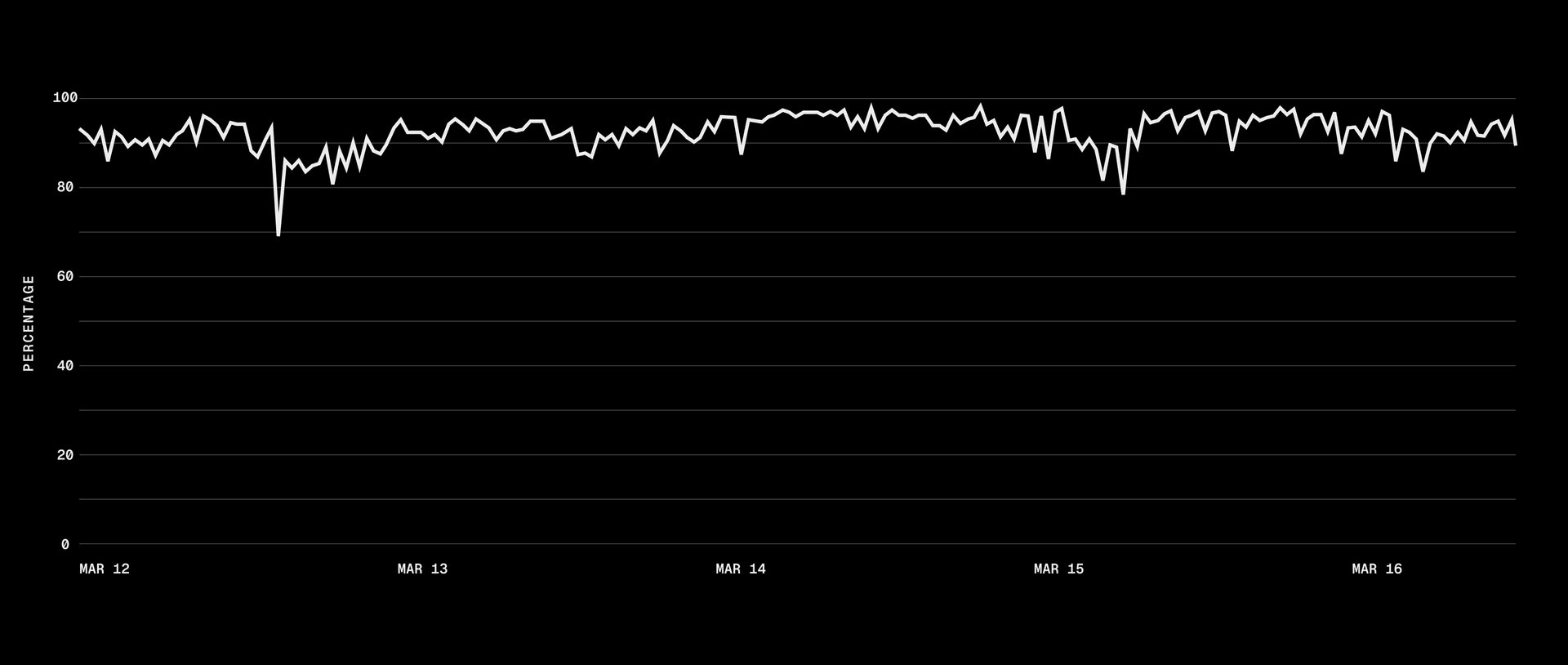
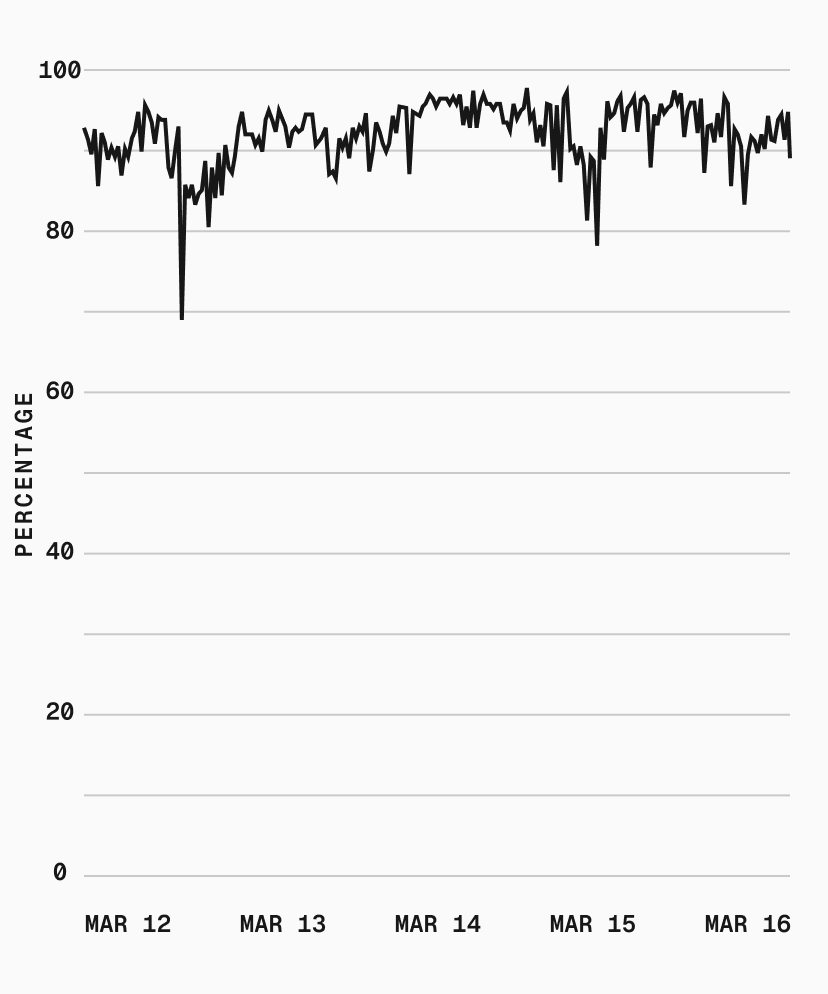
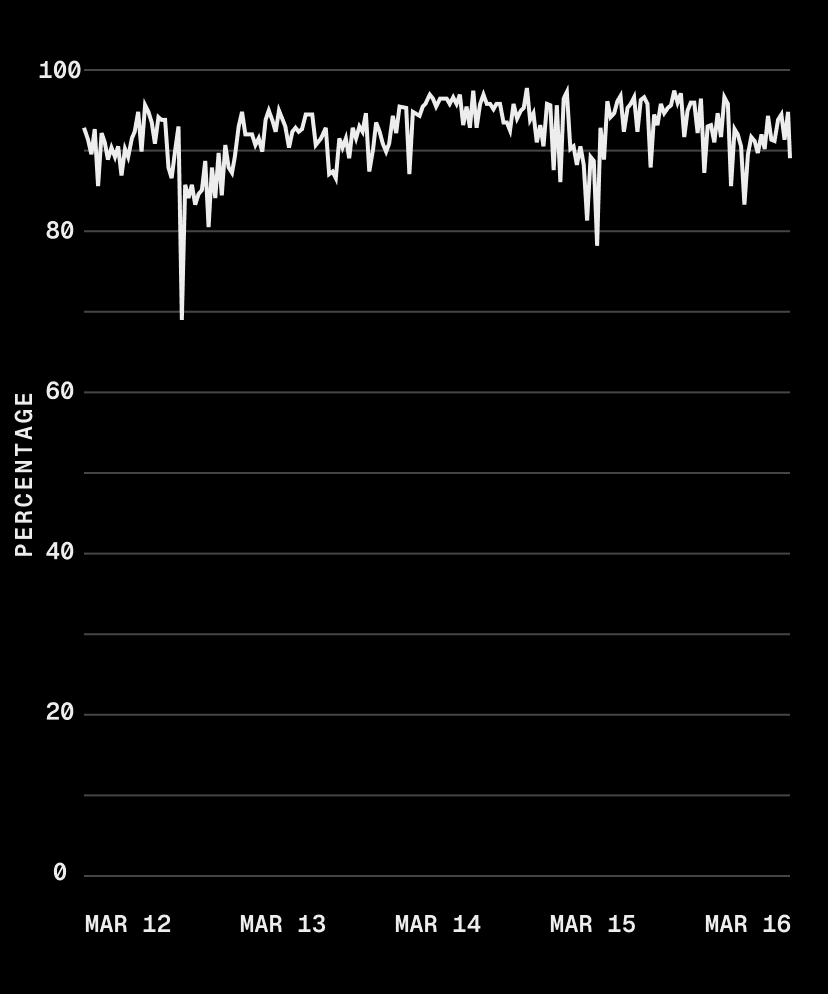
Most customers reuse a "base" snapshot across many sandboxes, which gives us a 95% cache hit rate. On those hits, boot time is bounded only by starting the microVM and container.
Copy link to headingFrom 40 seconds to sub-second
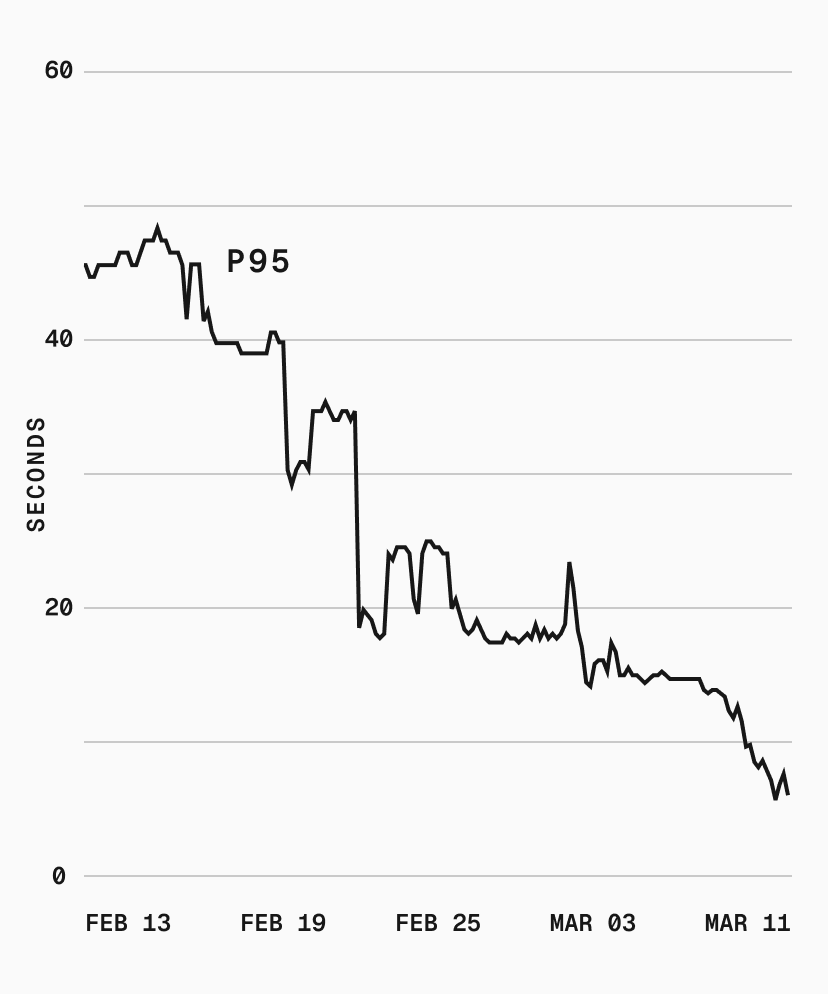
p75 dropped from 40s to sub-second, and p95 went from 50s to 5s. With our cache hit rate, most sandbox boots skip the download and decompression pipeline entirely.
There's more we can do. Cache affinity, for example, would route sandboxes to metal instances that already have the requested snapshot cached, potentially eliminating the cold path for popular snapshots. But that risks creating thundering herds and hotspotting certain machines, so we're being deliberate about it.
Long term, we want the cold path fast enough that caching is a bonus, not a requirement.
These optimizations already power Automatic Persistence, now in beta, which automatically snapshots a named sandbox's filesystem when you stop it and restores everything on resume. With sub-second restores, that stop-and-resume cycle feels instant.
Filesystem snapshots are available today for all Vercel Sandboxes. Check the Sandbox documentation to get started.