


Up until now, after creating a new Project from a Git repository or one of our examples, all commits to its default branch were being deployed to Production.
Today we are introducing a new default for newly created Projects, as well as an easy way to customize it from your Project Settings.
Copy link to headingNew production branch for new projects
Instead of the Git repository's default branch, new Projects will now issue Production Deployments for the main branch.
If it doesn't exist, the master branch will be used (more details). And if that doesn't exist either, the Git repository's default branch will be used.
Existing Projects are unaffected by this change.
Copy link to headingNew project setting
On the new Production Branch section under Git Integration in the Project Settings, you can now also select one of the following options:
The
mainbranch.The Git repository's default branch.
Any other custom branch of your choice.
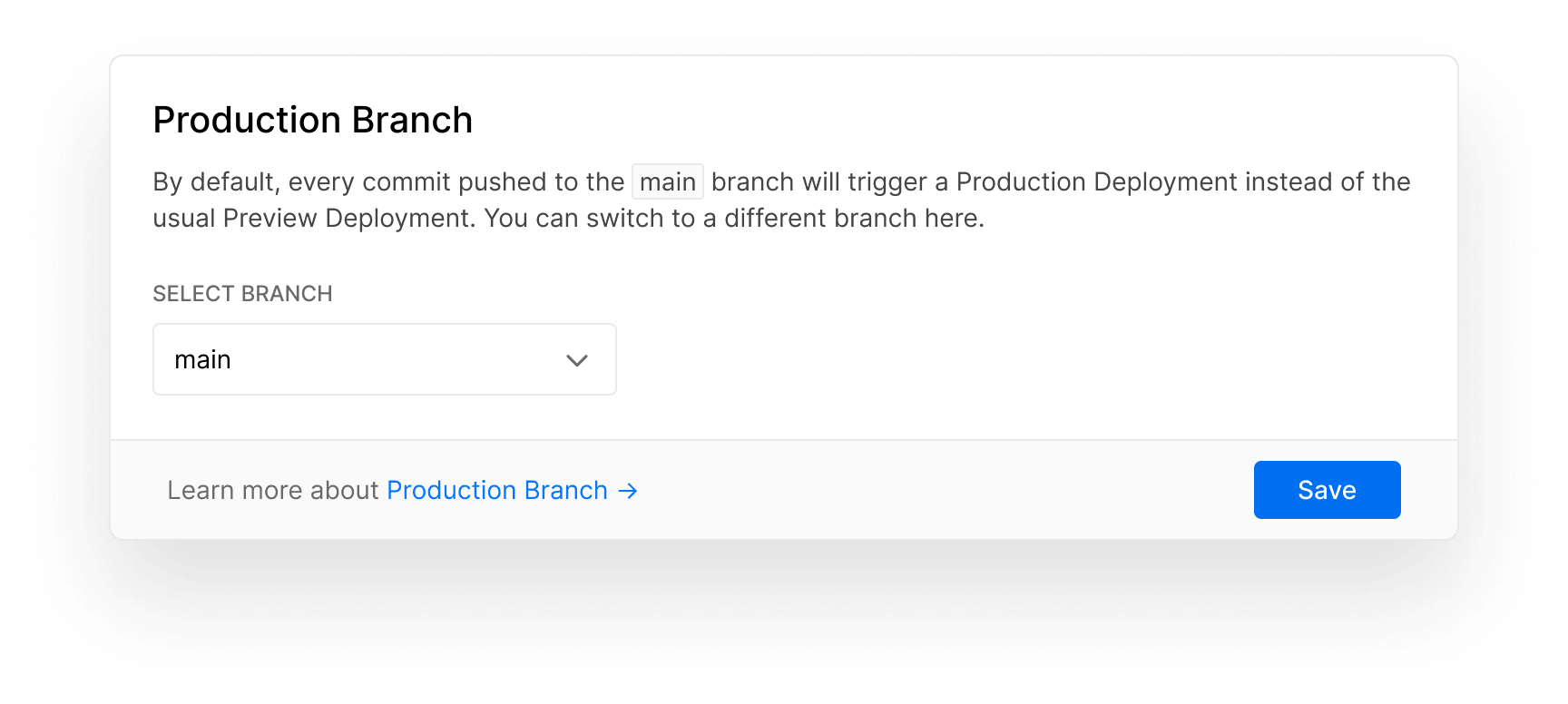
Copy link to headingA note on the master branch
As you might have noticed, we left out master as an option you can select from the dropdown.
This is an intentional decision, in anticipation and agreement with Git providers like GitHub moving away from terms that evoke prejudice and belong to the past.
For reasons of compatibility, creating a new Project from a Git repository that still uses master will automatically populate the Custom option. If you rename the branch in the future, you can easily change to main with just two clicks.
Copy link to headingConclusion
With this change, you gain the flexibility to configure your repository's default branch for your Project's ongoing work. When you push to that branch, we will create Preview Deployments, and when you push to main we will create Production Deployments.
Furthermore, if you don't want to use main, you can now select any branch you want for your Production Deployments.
Check out the documentation for more details and let us know what you think about this change.